What you'll learn in this article
- Fixes for when you can't log in
- What to do when you can't find or activate a serial number
- What to do when an order is put on hold (under review)
- How to get an invoice
- How to earn Virtual Cash by writing reviews with Review & Earn
- How to use coupons and the refund rules
- How to contact support
Have you run into problems like these while using Plugin Boutique?

Plugin Boutique is a reseller, so help for a problem is split across the site, its help center and each developer's own app.
That makes it hard to find a fix when something goes wrong.

This article collects fixes for the common problems. It is based on information from the official help center.
You don't need to read from top to bottom. Jump to your symptom from the table of contents.
Key point
The basic flow from signing up to buying and downloading is explained with screenshots in a separate article. If you haven't bought anything yet, start there.
-
-
What Is Plugin Boutique? A Complete Guide to Signing Up, Buying and Virtual Cash
What you'll learn in this article How to sign up, buy and download at Plugin Boutique How Virtual Cash (5% back) works and how to use it How to get free gifts and Rewards+ tokens How to check your license code The refund policy and cautions before buying When buying plugins, have you ever had questions like these? Plugin Boutique is a shop that carries many plugins used by guitarists and home-recording players. But its own points system and free gift mechanism are hard to understand. I get the impression that many people lose out. This article explains everything from ...
What to Do When You Can't Log In
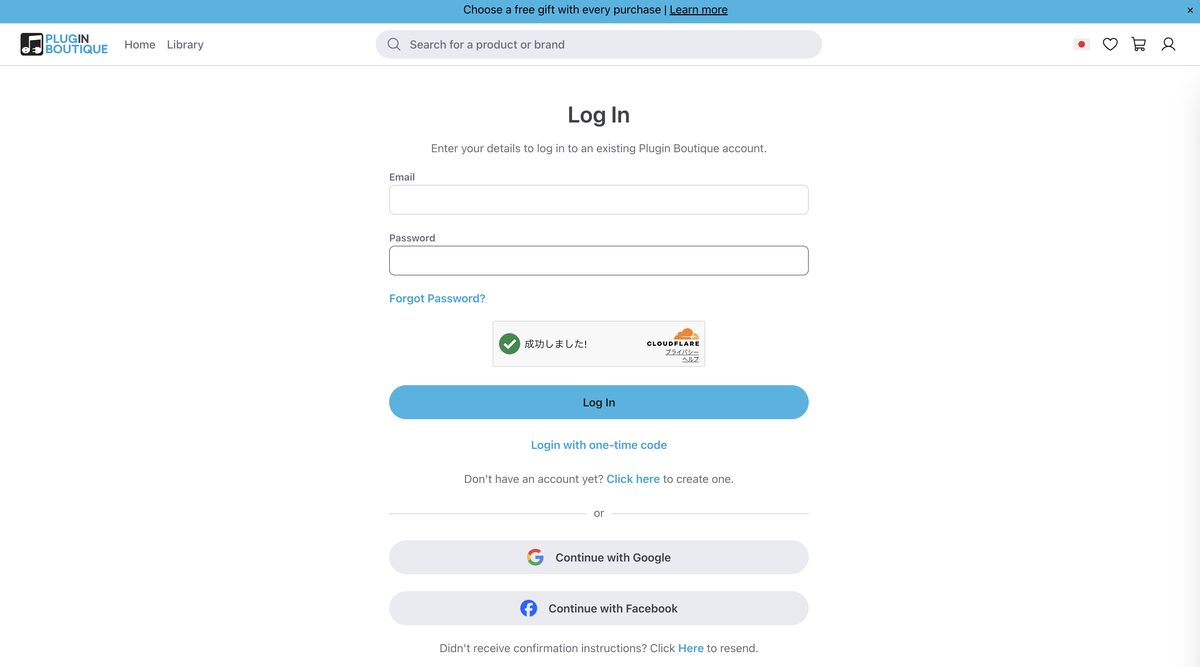
There are usually three causes of not being able to log in.
- You forgot your password, or it has changed
- You haven't completed your account's email verification
- The check on the login screen (Cloudflare) hasn't finished
If You Forgot Your Password
Reset it from "Forgot Password" on the login screen.
A reset link is sent to your registered email address.
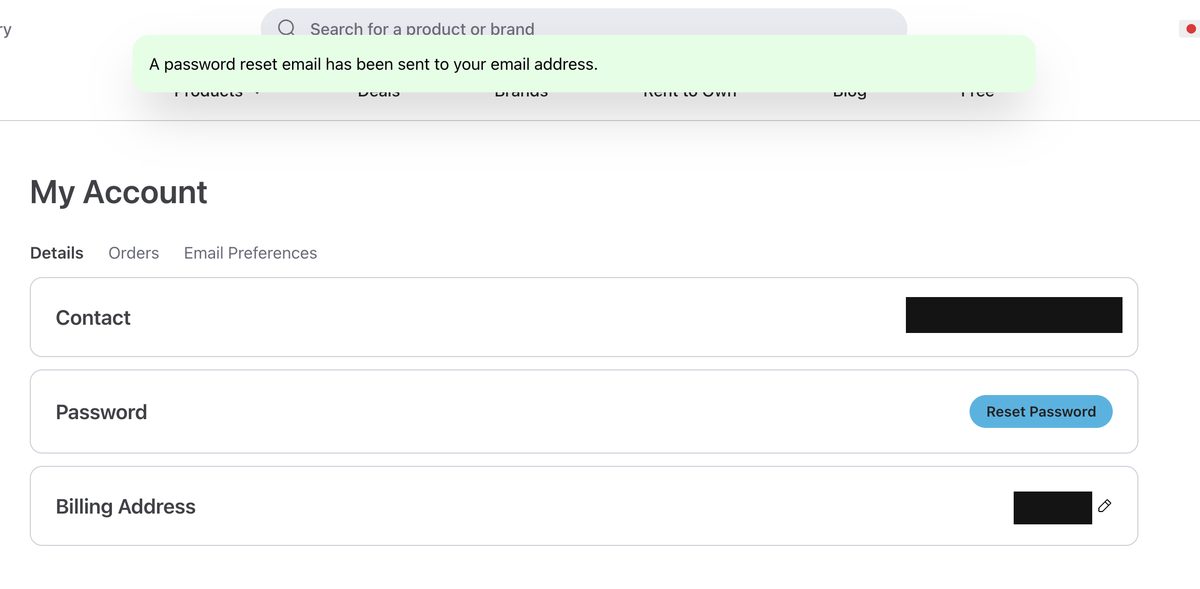
If you can't find the email, check your spam folder.
If You Haven't Completed Email Verification
After you create an account, you need to click the link in the confirmation email.
If this verification isn't done, you can't log in.
The confirmation email comes from info@pluginboutique.com. It is easily treated as spam, so check your Spam and Junk folders too.
If the Login Button Doesn't Respond
This pattern is surprisingly common.
Key point
After you refresh the page, wait about 5 seconds before pressing the login button. A bot-protection check (Cloudflare Turnstile) runs in the background. If you press the button before it finishes, it can fail.
When You Can't Find or See Your Serial Number
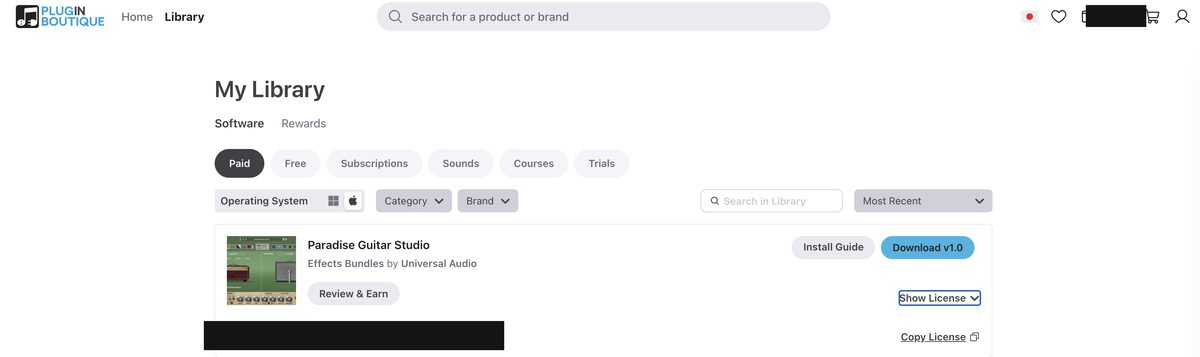
The serial code for a plugin you bought is stored on your account page.
Here are the steps to find it.
step
1Log in to Plugin Boutique
step
2Open "My Account" or "My Library"
step
3Click "Show License" on the plugin in question
The serial code appears. You can also copy it with "Copy License."
If It Says There Is No Serial
For a product that doesn't need a serial code, your account shows a message saying so.
In that case, just run the installer and sign in with the developer's account to use it. It is not a malfunction.
If You Bought a Second Copy but Can't See the Serial
If you bought two or more copies of the same product, the serials are shown together under the same product entry.
The purchase list isn't necessarily in chronological order. If you can't find it, look again at the product entry from your first purchase.
Watch out
As a rule, you enter the serial code in the developer's management app or site. You don't type it into the plugin itself. For UAD, use UA Connect. For IK Multimedia, use IK Product Manager.
What to Do When the Serial Number Isn't Accepted
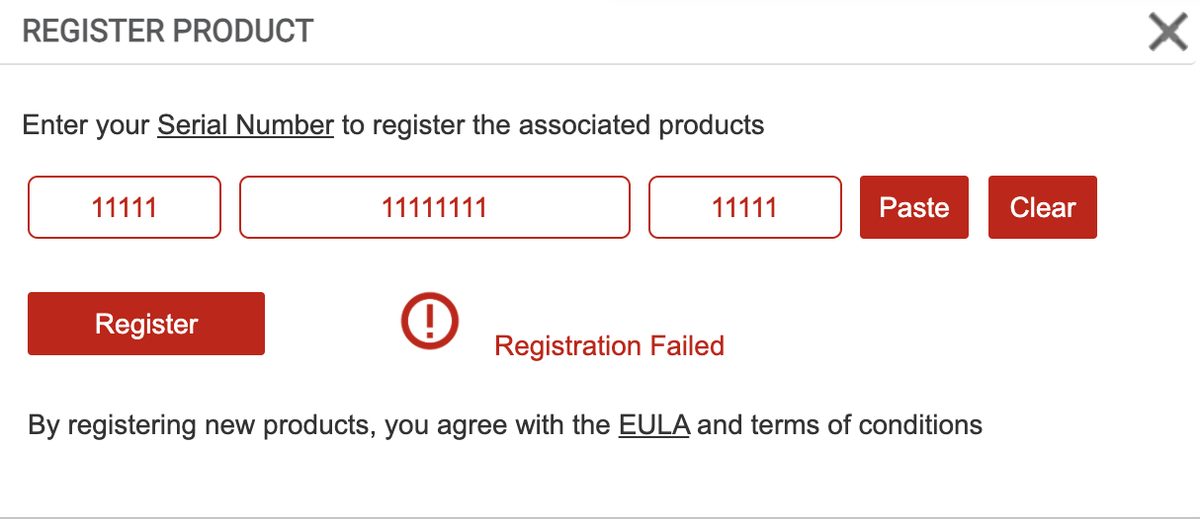
This is the case where you found the code but get an activation error.
Try the following in order by cause.
1. Suspect extra spaces
This is the most common cause.
If spaces are mixed in before, after or within the code, activation fails.
Try typing it by hand instead of pasting.
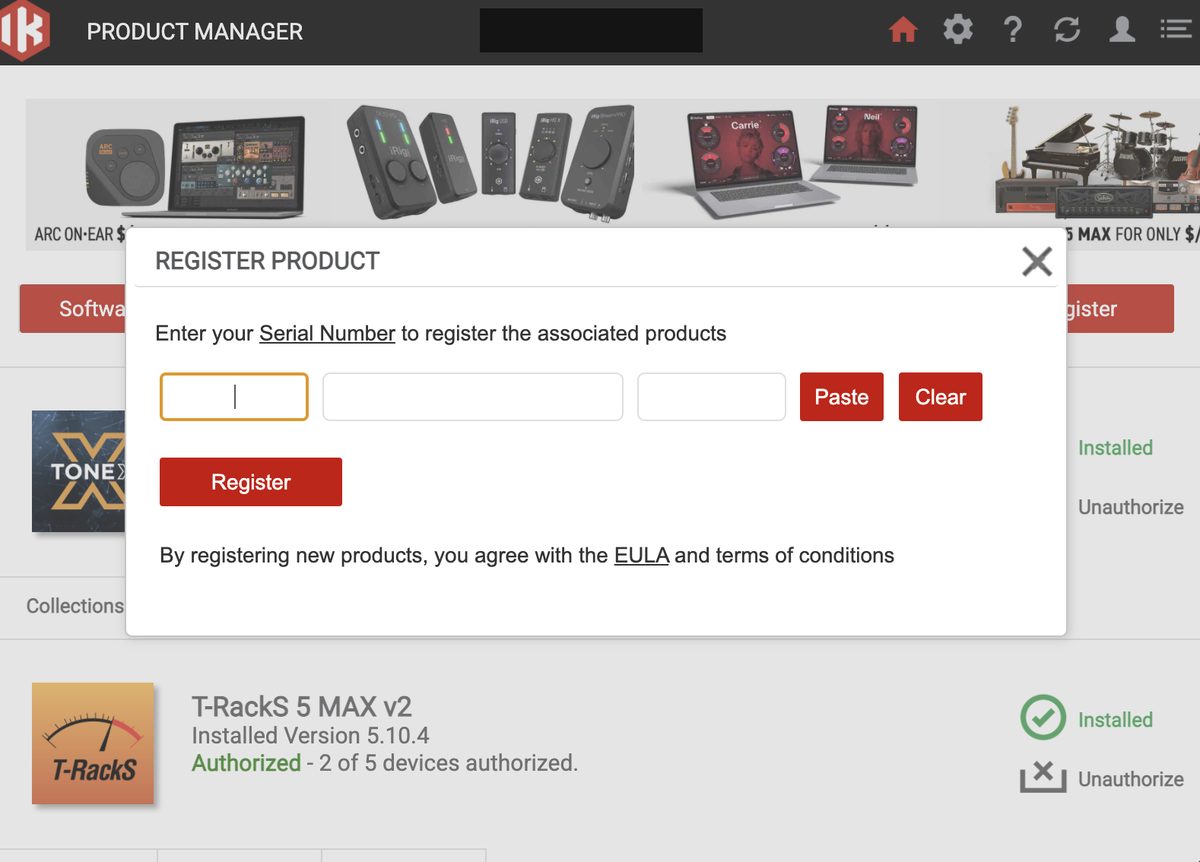
2. Temporarily turn off your firewall and VPN
A firewall, antivirus software or VPN can also be the cause.
They can block the communication used during activation. Turn them off temporarily and try again.
3. If that still doesn't work, contact support
If it isn't solved, send a support ticket.
It goes more smoothly if you attach the following information.
- A screenshot of the error screen
- Your order number
- The DAW and version you use
- Your OS and version
When an Order Is Put on Hold (Under Review)
After a purchase, you may get an email saying your "order needs verification."
This is a security review, meant to prevent fraudulent use.
A common cause is accessing through a VPN or proxy. A mismatch in billing information can also cause it.
What to Do
Contact verify@pluginboutique.com from the email address you used for the order. You can also contact them through a support ticket.
It's fine to tell them any likely cause (for example, that you were using a VPN).
Key point
Payment has already been confirmed. Even if the sale ends during the review, you can still buy at the sale price. No need to rush. If the order fails the review, you are automatically refunded.
How to Get an Invoice
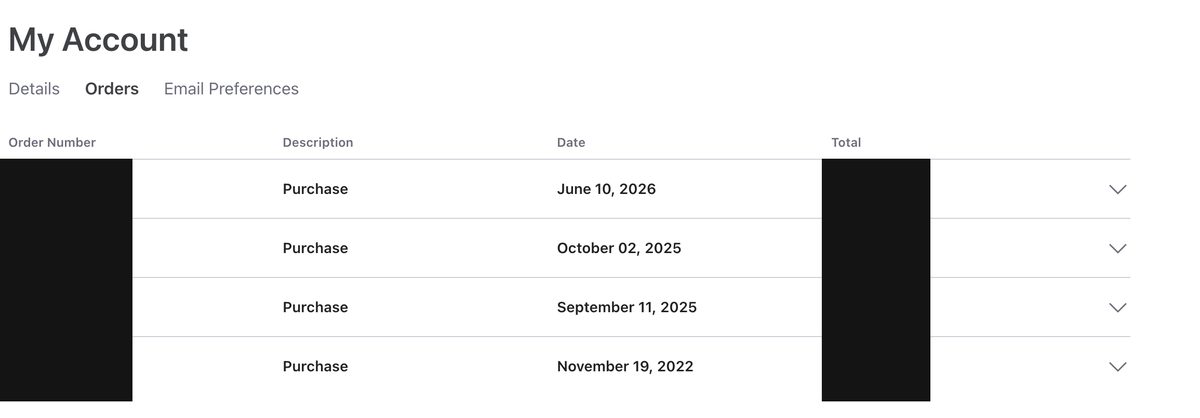
If you need an invoice for tax filing or expense reports, you can issue it yourself.
Here are the steps.
step
1Log in and open "My Account"
step
2Click the "Orders" tab
step
3Find the order and open the dropdown
step
4Click "Print Invoice"
Save the displayed invoice as a PDF or print it.
Write Reviews with Review & Earn to Earn Virtual Cash

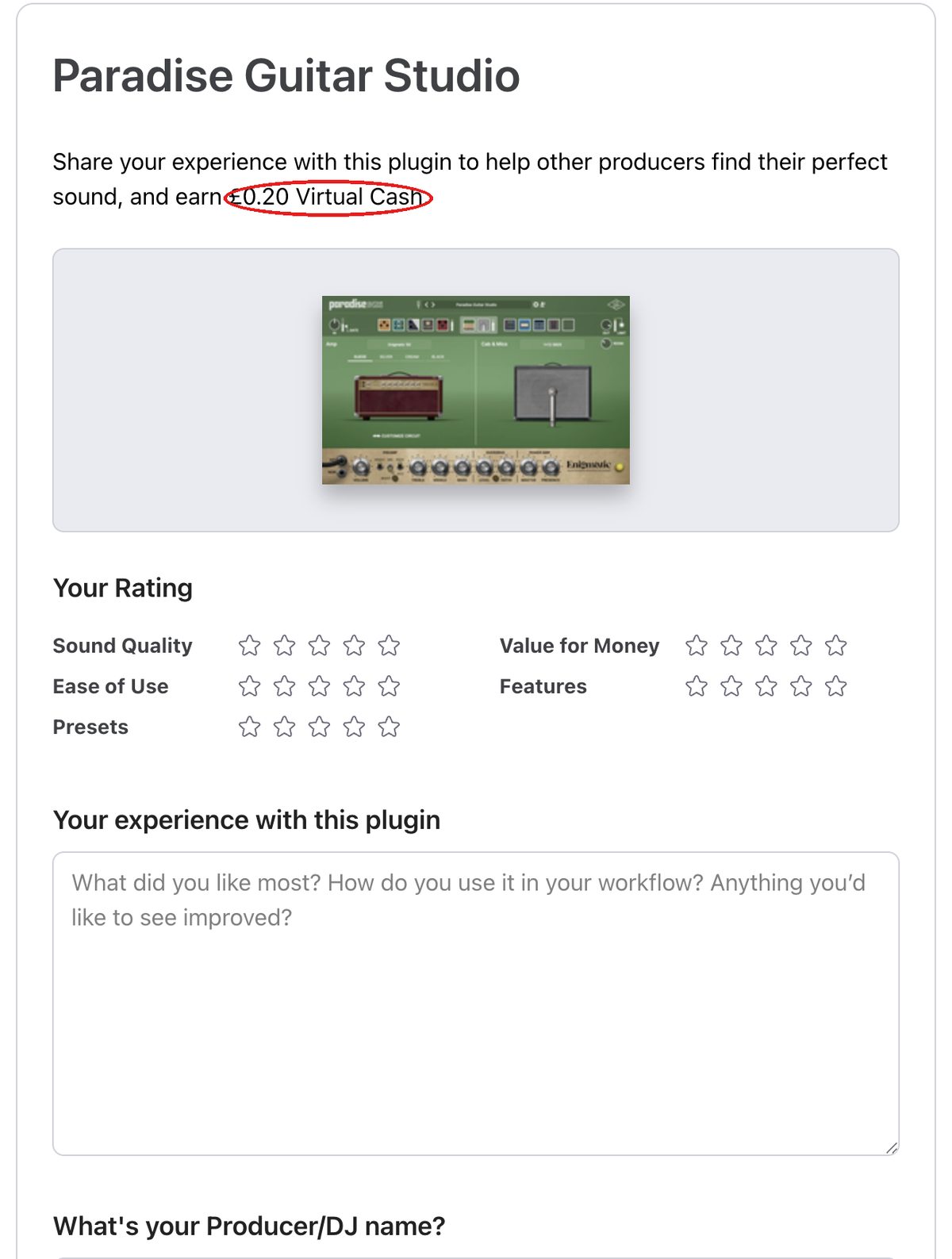
Each plugin in My Library has a button called "Review & Earn."
If you write a review of a plugin you bought, you receive Virtual Cash.
How to Write a Review
step
1Click "Review & Earn" on the plugin in My Library
step
2Rate Sound Quality, Ease of Use, Presets, Value for Money and Features out of 5
step
3Enter your thoughts in "Your experience with this plugin"
step
4Enter a producer/DJ name and submit
Key point
The amount of Virtual Cash varies by plugin. It is often a small amount per review. But if you write one for every plugin you bought, it adds up to a meaningful amount for your next purchase.
How to Use Coupon Codes
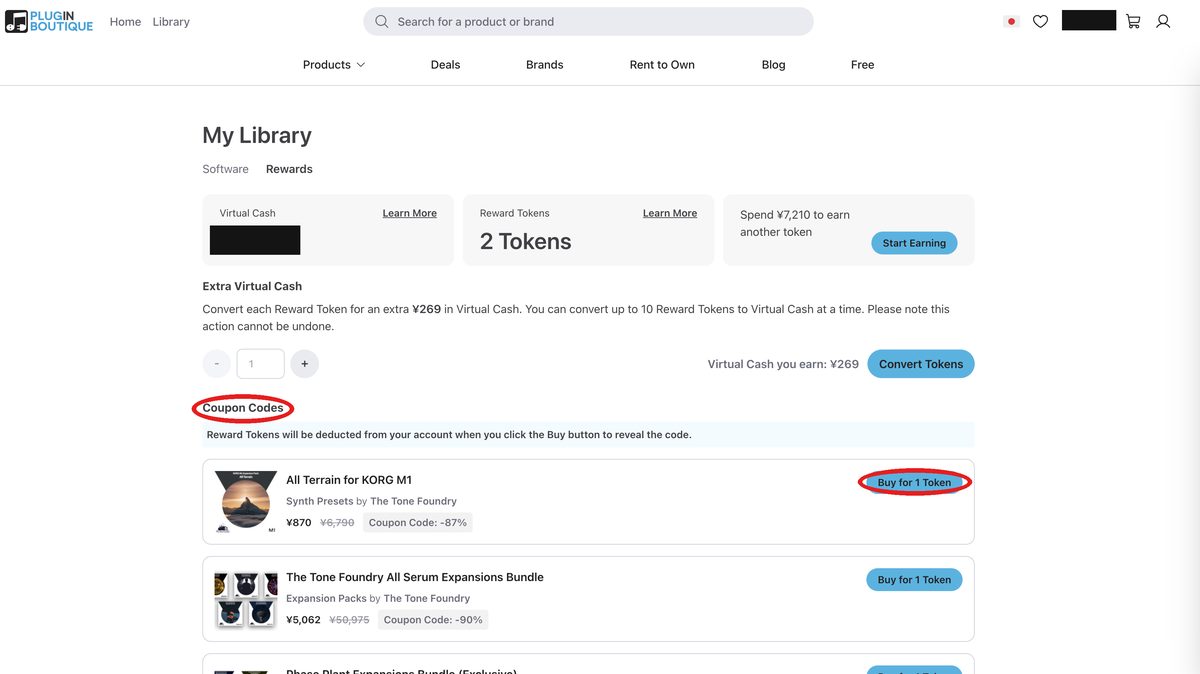
You sometimes receive coupon codes from sales and Rewards+ perks.
Coupon codes you got with Rewards+ tokens can be checked in My Library.
Note that the Rewards+ token system is scheduled to be discontinued.
This is a change to go with a new membership program starting in October 2026.
Your Virtual Cash balance is not affected.
Open "Coupon Codes" on the "Rewards" tab.
Using one is simple.
step
1Add the eligible product to your cart
step
2Go to "Checkout"
step
3Paste the code into the "Coupon Code" field and apply it
Watch out
You can use only one coupon per order. If you want to use several, split your purchases into separate orders by product.
When You Want a Refund or Return
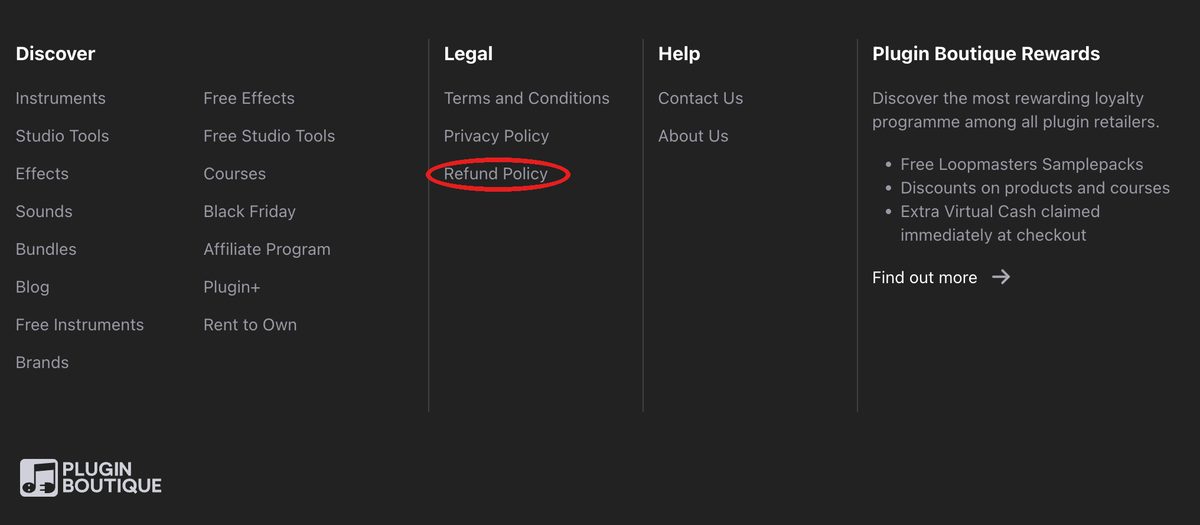
Plugin Boutique is a reseller (a sales agent).
So whether you can get a refund also depends on the developer's policy.
Basic refund rules
| Period | Conditions |
|---|---|
| Within 14 days | Full refund only if you haven't downloaded, activated or authorized the product |
| Within 30 days | If the product is faulty or differs from its description, you can choose either a refund or an exchange |
Watch out
Once you activate a product, you generally can't get a refund. "I didn't check the system requirements" is not accepted as a reason. There are also exceptions, such as faults. Even then, the deadline to request a refund is 30 days from purchase. Always check the system requirements before you buy.
For plugins with a demo version, I recommend always trying it before you buy.
You can check beforehand whether it runs on your computer and whether you like the sound.
Are There Discounts for Students and Teachers?
Plugin Boutique has education discounts for students and teachers.
It doesn't use an outside verification service. Plugin Boutique's own support team reviews applications directly.
What You Need to Apply
- A photo or screenshot of your student or staff ID
- Or a certificate of enrollment with the school's name, signed and dated
The review takes about 48 hours.
Discount Rates by Brand (Examples)
| Brand | Discount |
|---|---|
| Plugin Boutique (own products) | 50% off |
| Acon Digital, D16 Group | 50% off |
| Audified | Students 60%, teachers/schools 70% off |
| Rob Papen | 40% off |
| Blue Cat Audio | 25% off |
| Sugar Bytes | 20% off |
Key point
Discount rates vary by brand. The above are examples. For the latest eligible brands and rates, check the education discount page in the help center.
How to Contact Support
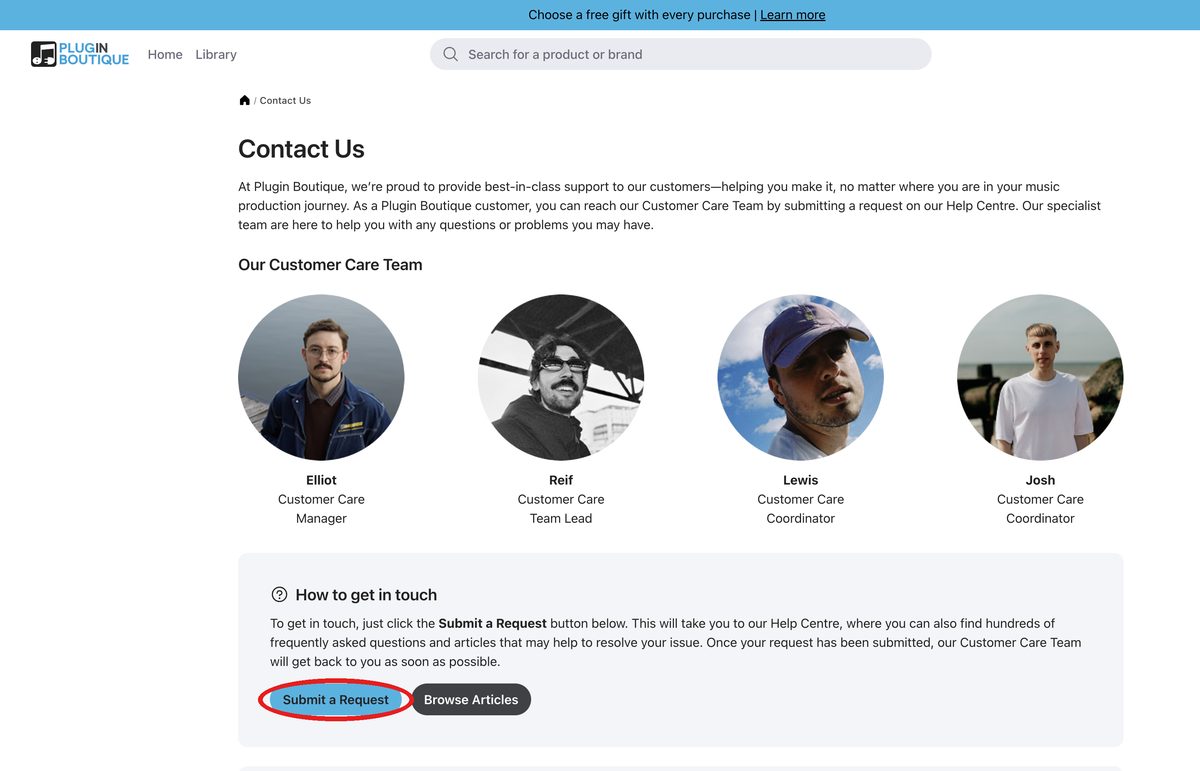
If you can't solve it yourself, send a support ticket.
Open the "Contact Us" page on pluginboutique.com.
Press the "Submit a Request" button.
It takes you to a form on the help center (help.pluginboutique.com).
- Attach your order number and screenshots to get a faster resolution
- Business hours are Monday to Friday, roughly 9:00 to 18:00 (UK time)
- On weekends and holidays, high-priority cases may still be handled remotely
Key point
Downloads, installation and activation are covered by Plugin Boutique's support. Deep technical problems with how a plugin itself behaves are different. You'll get them solved faster by contacting the developer's support directly.
FAQ
Summary
Here is a recap of the fixes for Plugin Boutique problems.
- Can't log in → reset your password, verify your email, and wait 5 seconds before logging in
- Can't find the serial → check "Show License" in My Account
- Serial isn't accepted → suspect extra spaces, and your firewall or VPN
- Order on hold → contact verify@pluginboutique.com; the sale price is kept
- Invoice → issue it as a PDF from your order history in My Account
- Write reviews with Review & Earn to receive Virtual Cash
- One coupon per order; split orders if you want to use several
- After activation, generally no refunds; check with a demo beforehand
- If it isn't solved, contact support with a ticket
Related article What you'll learn in this article How to sign up, buy and download at Plugin Boutique How Virtual Cash (5% back) works and how to use it How to get free gifts and Rewards+ tokens How to check your license code The refund policy and cautions before buying When buying plugins, have you ever had questions like these? Plugin Boutique is a shop that carries many plugins used by guitarists and home-recording players. But its own points system and free gift mechanism are hard to understand. I get the impression that many people lose out. This article explains everything from ...
How to sign up, how to buy and how Virtual Cash works are explained with screenshots in this article.
What Is Plugin Boutique? A Complete Guide to Signing Up, Buying and Virtual Cash

