What You
- How MODO DRUM's physical modeling differs from sampled drums
- How well it works for band-style guitar home recording
- Concrete differences vs BFD3, and how to choose
- Logic Pro integration and multi-output setup
Right now, "Total Studio 5 MAX" is around 76% off with a coupon (through July 31) — cheaper than buying MODO DRUM alone, and it includes TONEX MAX and more. If you were considering a purchase, now is the time.
-

-
Total Studio 5 MAX V2 Explained: What Changed from 4 MAX, MAXgrade and Prices
"What actually changed in Total Studio 5 MAX V2? If I already own 4 MAX, should I upgrade?" If you use IK's bundles, you've probably wondered about this at least once. What you'll learn in this article What's in Total Studio 5 MAX V2 (the headliners: TONEX, AmpliTube, MODO DRUM) What changed from 4 MAX Standard vs. upgrade vs. MAXgrade, and prices Whether 4 MAX owners should upgrade The Short Answer: 4 MAX Owners Don't Need to Rush TONEX, AmpliTube and MODO DRUM, the core of a home-recording guitarist's setup, are already in 4 MAX. So if you own 4 ...
続きを見る


What Is MODO DRUM? How Physical Modeling Works
MODO DRUM is a drum plugin developed by IK Multimedia.
Its defining feature is "physical modeling" (modal synthesis).
A typical drum plugin plays back pre-recorded audio.
MODO DRUM doesn't.
It calculates the drum's material, size, tension, and more in real time — generating the sound from physics.
| Aspect | Sample-Based Plugins | MODO DRUM |
|---|---|---|
| Sound generation | Plays back recorded waveforms | Real-time synthesis from physics |
| Storage | Tens to hundreds of GB | About 11.5GB |
| Playing realism | Switching between recorded hits | Infinite gradation by hit position and dynamics |
| Customization | Choose samples | Build the sound with parameters |
It's a hybrid design: kick, snare, and toms are physically modeled, while cymbals are sampled. The complex overtones of metal are hard to model, hence this approach.
My Experience Using It for Home Recording
No Machine-Gun Effect
Play repeated hi-hat hits at the same velocity in a sample-based plugin, and you hear the same sound over and over.
That unnatural repetition is called the "machine-gun effect."
MODO DRUM computes a slightly different waveform every single time.
So even identical-velocity hits groove naturally.
Realistic Kit-Wide Resonance
Hit the kick, and the snare wires buzz faintly.
Hit a tom, and the other drums resonate.
This "sympathetic resonance" is computed as part of the physical model.
Remarkably Light on Storage
At about 11.5GB, it's astonishingly small for a drum plugin.
Compared to BFD3's 55GB+, that's serious SSD savings.
A practical benefit if you manage multiple Logic Pro projects.
Customization | Build the Sound Instead of Choosing It
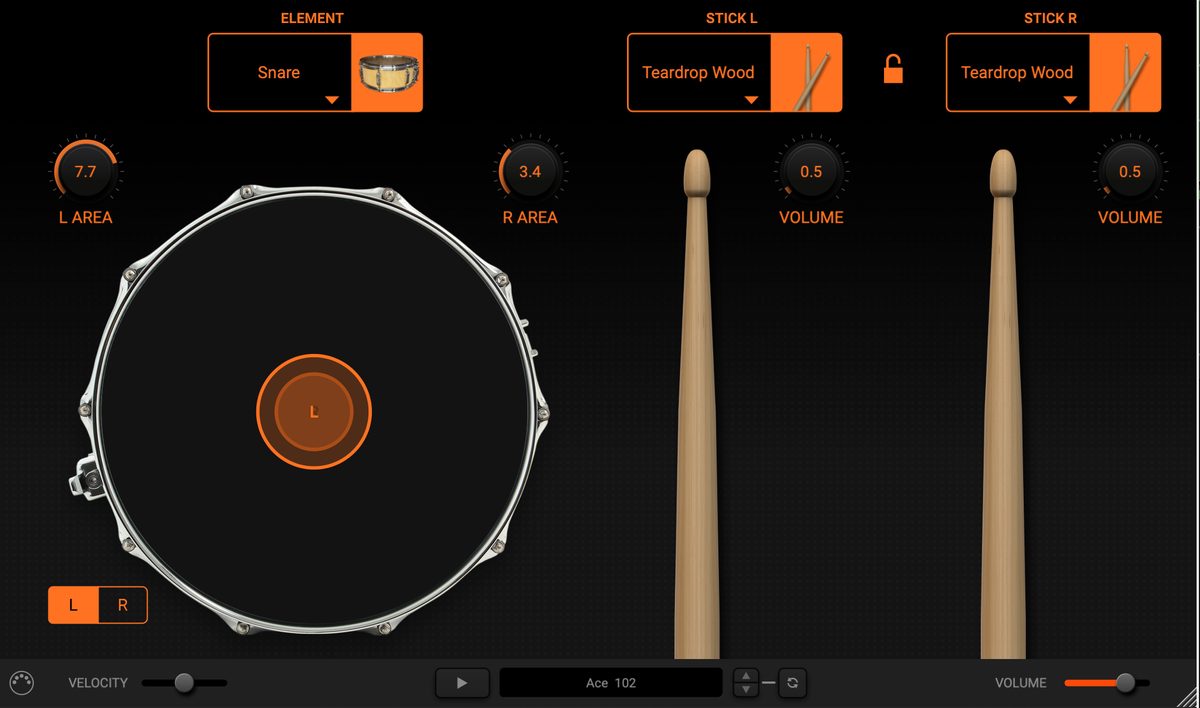
Hit position (L AREA / R AREA) and even stick type can be set independently for each hand.
In MODO DRUM's edit screen, you can adjust the following parameters.
Main Customizable Parameters
- Shell material (maple, birch, bubinga, etc.)
- Shell size (diameter and depth)
- Head type (clear/coated) and tension
- Hit position (center to edge)
- Stick tip material (wood/nylon)
- Kick beater material (felt/plastic/wood)
Included Kits
| Kit | Character / Best For |
|---|---|
| Studio | The post-80s studio standard. All-around |
| Jazzy | 14-inch kick. Warm and punchy, made for jazz |
| Silver | Maple. Versatile for pop and rock in general |
| Brit Custom | Birch. Pronounced high-end attack. Great for indie rock |
| Metal | Built for modern metal. Tight and punchy |
| Black Oyster | 60s vintage sound |
| Rock Custom | Rock-oriented, showcasing the shell materials |
| Djentleman | For modern metal and djent |
| Grungy | Raw, rough-hewn texture. For alternative and grunge |
| Bubinga | Rich low end with strong punch |
| Plexi | Classic rock sound |
| Reference | Flat and honest. A reference point for mixing |
| Extreme | Aggressive metal and extreme genres |
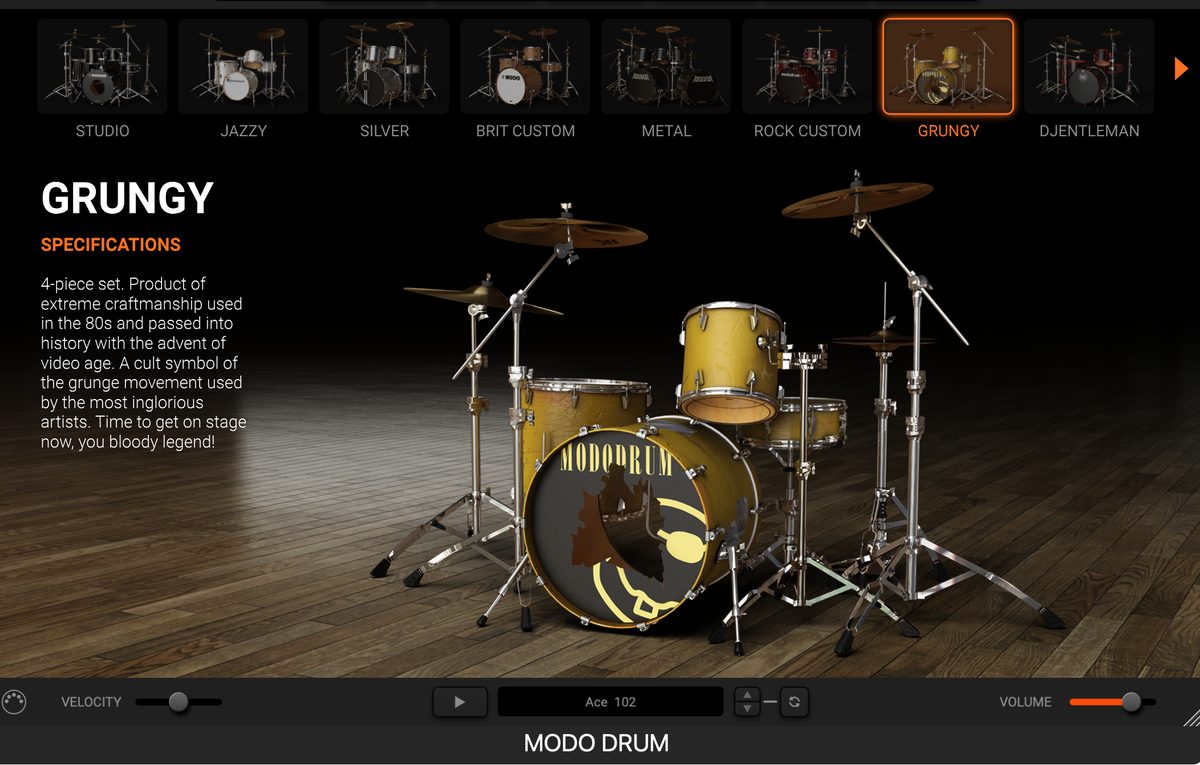
Grungy is billed as "a four-piece set crafted with the finest 80s workmanship, etched into history at the dawn of the video era." It's the kit that embodies the grunge movement.
MODO DRUM vs BFD3 | Which Should You Choose?
| Aspect | MODO DRUM | BFD3 |
|---|---|---|
| Sound generation | Physical modeling (design it) | Sampling (choose it) |
| Storage | About 11.5GB | 55GB+ |
| Load time | Fast | Somewhat slow |
| CPU load | Higher (real-time computation) | Relatively low |
| Realism | Strong organic feel and resonance | High recording quality |
| Customization | Free parameter-based design | Selection from existing samples |
On older PCs (e.g. older Core i5), CPU load can get high. In that case, a workflow using track freeze or bounce-in-place works well.
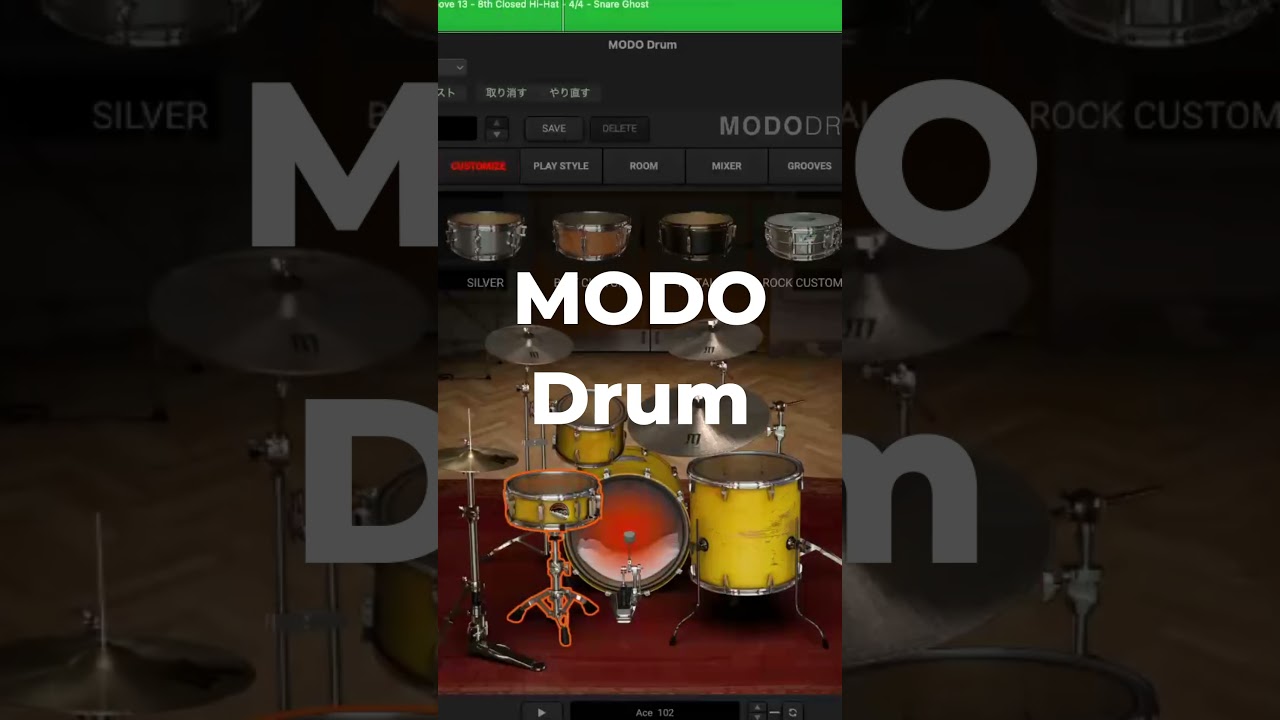
Logic Pro Integration | Multi-Output Setup
Here's how to route each drum to its own track in Logic Pro.
step
1Load MODO DRUM as a multi-output instance
Click the Instrument slot on the channel strip and choose MODO DRUM's multi-output instance from the pop-up menu.
step
2Assign outputs inside MODO DRUM
In MODO DRUM's mixer screen, assign each drum's output to "Main," "3-4," "5-6," and so on.
step
3Add aux channel strips in the Mixer
Open Logic Pro's Mixer, click the Add button (+) at the bottom of MODO DRUM's channel strip, and add as many aux channel strips as you need. Remove them with the Delete button (-) when no longer needed.
step
4Mix each channel individually
Kick, snare, toms, and cymbals can now each be handled on their own aux channel strip.
Multi-outputs are still stereo pairs. To treat the kick as mono, sum the stereo pair to mono in your DAW or use just one side of the channel.
Room Emulation
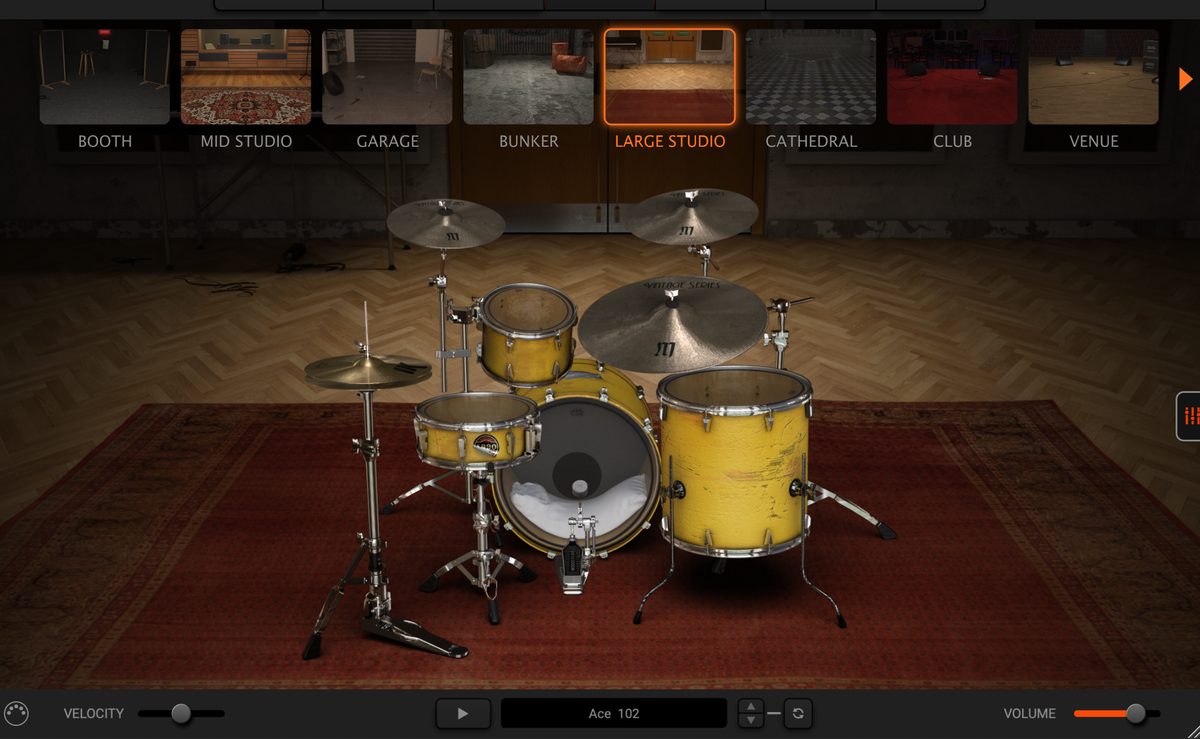
You can also choose the space the drums sit in.
Eight rooms: BOOTH, MID STUDIO, GARAGE, BUNKER, LARGE STUDIO, CATHEDRAL, CLUB, and VENUE.
MIDI Grooves and Workflow
MODO DRUM ships with over 1,400 MIDI patterns.
Smart filters let you search by genre or time signature, then drag and drop straight into your DAW.
Who MODO DRUM Is For — and Who It Isn't
Fixing the Installation Error
Occasionally you may hit a "Factory sound content pak file is missing" error.
step
1Manually create a "Kits" folder
On Windows, create a new "Kits" folder in `C:\Program Files\IK Multimedia\MODO DRUM`. On macOS, create it in `/Library/Application Support/IK Multimedia/MODO DRUM`.
step
2Move the three files
Move `ModoDrumData_000.pak` / `ModoDrumData_001.pak` / `ModoDrumData_002.pak` into the "Kits" folder.
step
3Re-point the path in Settings
From the gear icon (Settings) at MODO DRUM's top right, set the new "Kits" folder as the Sound Content path.
Verdict | Does MODO DRUM Work for Guitarists' Home Recording?
MODO DRUM Summary
- Physical modeling delivers natural grooves automatically
- Light at about 11.5GB. Fast to load
- 13 kits plus 1,400+ MIDI patterns
- The BFD3 difference: design the sound vs choose the sound
- Logic Pro integration and multi-output work without issues
Check MODO DRUM at Plugin Boutique
Limited-Time Coupon Deal | Total Studio 5 MAX
Around 76% off with a coupon, through July 31 only. Cheaper than MODO DRUM alone, with TONEX MAX and more included. See the article below for sale details and the included plugins.
-
-
Total Studio 5 MAX V2 Explained: What Changed from 4 MAX, MAXgrade and Prices
"What actually changed in Total Studio 5 MAX V2? If I already own 4 MAX, should I upgrade?" If you use IK's bundles, you've probably wondered about this at least once. What you'll learn in this article What's in Total Studio 5 MAX V2 (the headliners: TONEX, AmpliTube, MODO DRUM) What changed from 4 MAX Standard vs. upgrade vs. MAXgrade, and prices Whether 4 MAX owners should upgrade The Short Answer: 4 MAX Owners Don't Need to Rush TONEX, AmpliTube and MODO DRUM, the core of a home-recording guitarist's setup, are already in 4 MAX. So if you own 4 ...
続きを見る
Limited Time: Check Total Studio 5 MAX Now
Related Articles
AmpliTube 5 MAX v2 in Three Lines AmpliTube 5 MAX v2 is the top edition of the guitar/bass amp simulator. It is a plugin IK Multimedia has developed for more than 20 years. It puts 435 gear models in one plugin. It includes officially licensed Fender, Mesa/Boogie and Marshall-type models. There are two biggest additions in v2. One is integration with the company's "TONEX," which brings in sound with AI machine modeling. The other is integration of "ToneNET," the preset sharing platform. AmpliTube 5 MAX v2 vs the Free CS, SE and Standard AmpliTube 5 comes in four grades. The ... 続きを見る To give the conclusion first, the main day of Black Friday 2026 is Friday, November 27. The first thing a guitarist should aim at is the TONEX MAX + AmpliTube 5 MAX two-in-one bundle. For the past two years in a row, there has been a sale where "buy one and get the other free." Black Friday (BF below) is the time of year when DTM plugins get cheapest. Discounts of 50 to over 80% are not rare. But if you buy everything in sight just because it's cheap, you only add to your pile of unused plugins. This page ... 続きを見る

AmpliTube 5 MAX v2 Review | Is It Enough for Band Home Recording? Differences from Free, SE and Standard

Black Friday 2026 Guide for Guitarists | TONEX, AmpliTube, UAD and How to Buy Without Regret

